
Send mark paid or void an invoice
Video walkthrough: Create an invoice and record a manual payment
Use this task to send mark paid or void an invoice in the current Klusaro workspace.
Before you start
Open Klusaro as a user with access to Facturen.
Steps
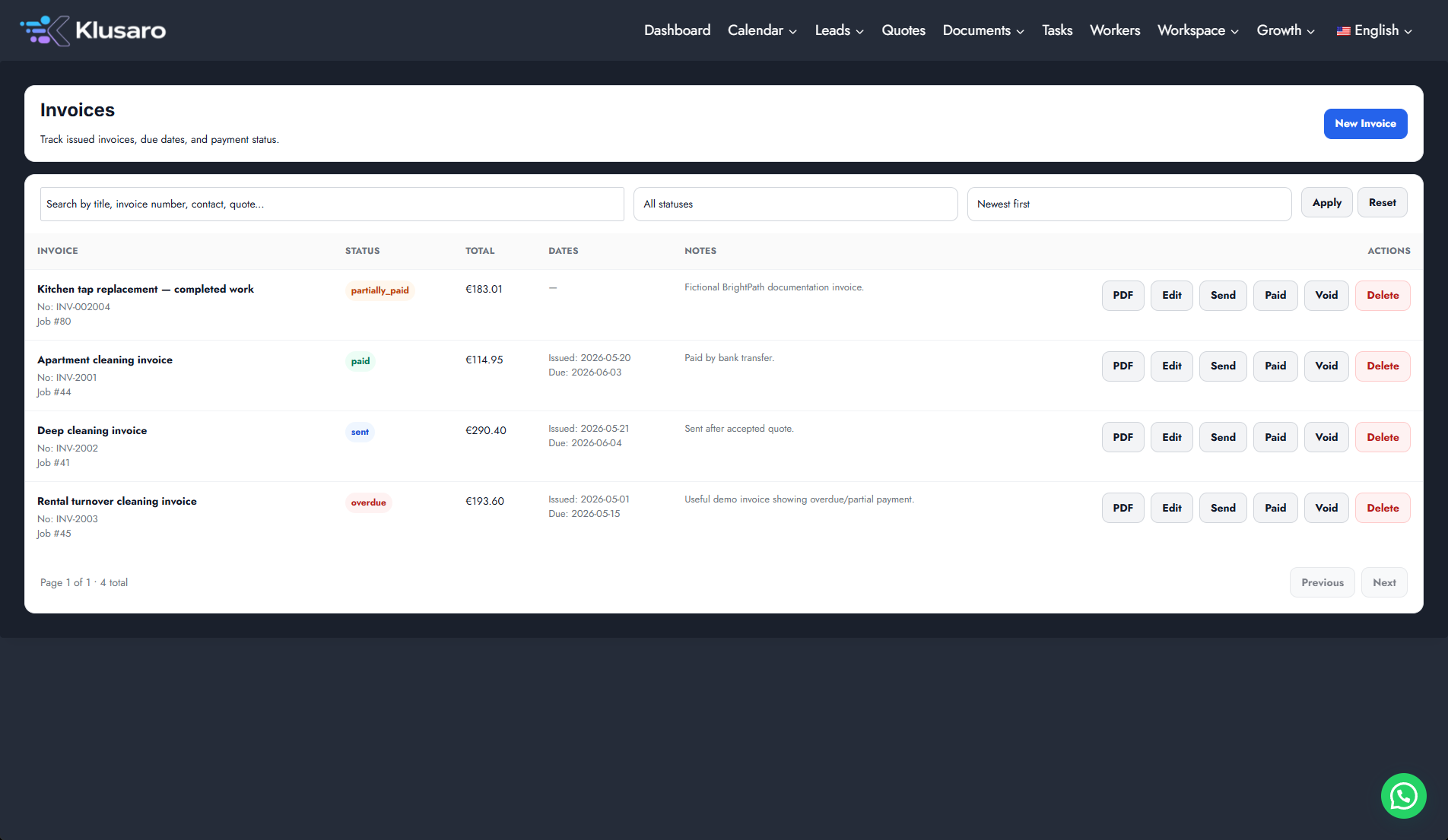
- Open Facturen and locate the invoice.
- Use Edit to maintain it.
- Use Versturen only after confirming the recipient.
- Use Paid of Void only on the intended invoice.
- Use PDF for invoice output and confirm the resulting state.
Screenshots
What happens next
The updated state appears in Klusaro and can be reopened for confirmation.
Useful notes
Marking an invoice Paid records its status in Klusaro. Use this action only after confirming that payment was received.