
Generate send and manage a quote
Video walkthrough: Create and prepare a quote
Use this task to generate send and manage a quote in the current Klusaro workspace.
Before you start
Open Klusaro as a user with access to Tāmes.
Steps
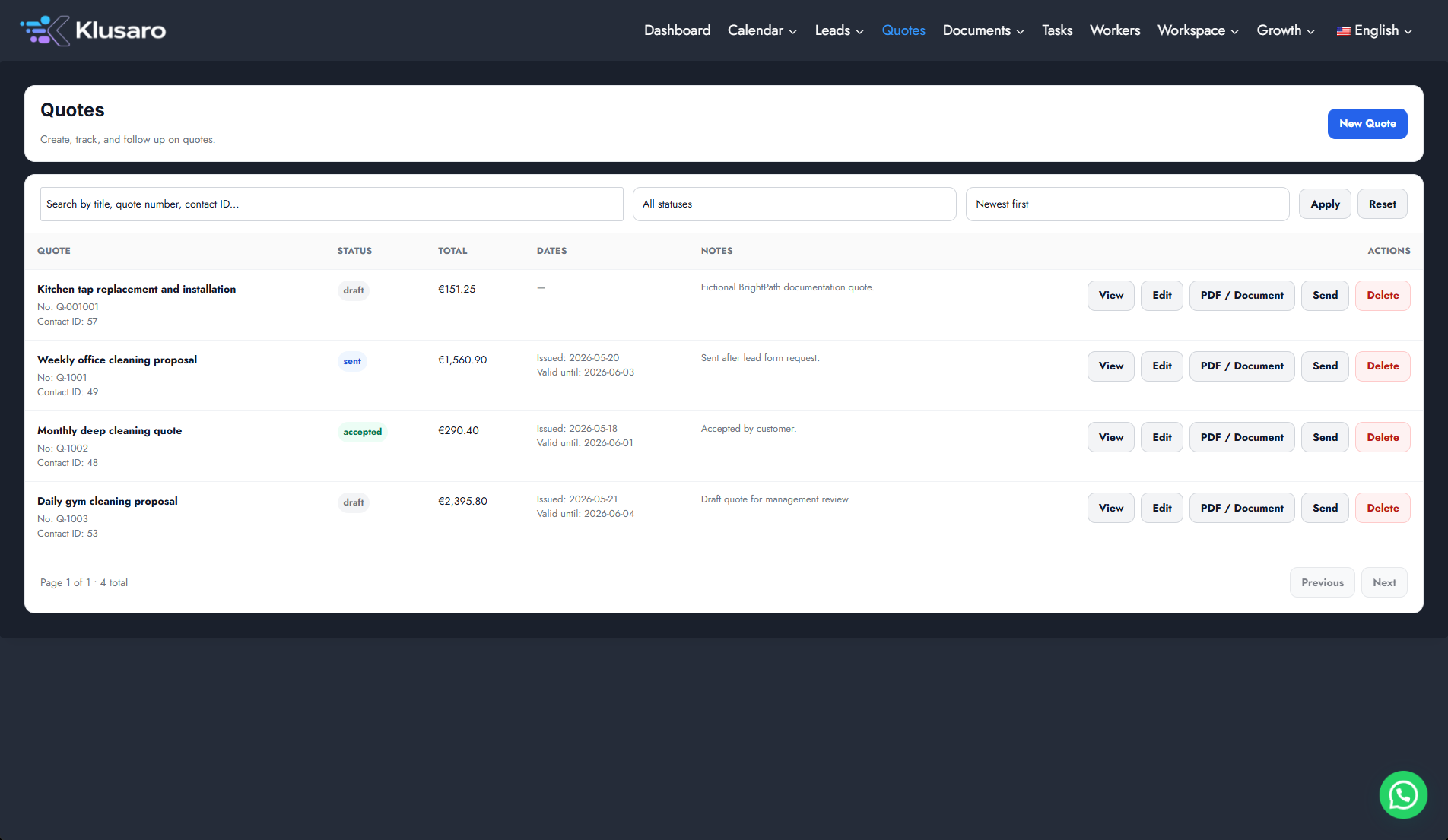
- Atvērts Tāmes and locate the quote.
- Use Edit to maintain details or status.
- Use PDF vai PDF / Document for output.
- Use Sūtīt only after confirming the recipient.
- Confirm the Klusaro-side state.
Screenshots
What happens next
The updated state appears in Klusaro and can be reopened for confirmation.
Useful notes
Confirm the recipient and quote status before using Sūtīt.