
Record a payment
Video walkthrough: Create an invoice and record a manual payment
Video walkthrough: Complete the customer-to-payment workflow
Use this task to record a payment in the current Klusaro workspace.
Before you start
Open Klusaro as a user with access to Maksājumi.
Steps
- Atvērts Maksājumi.
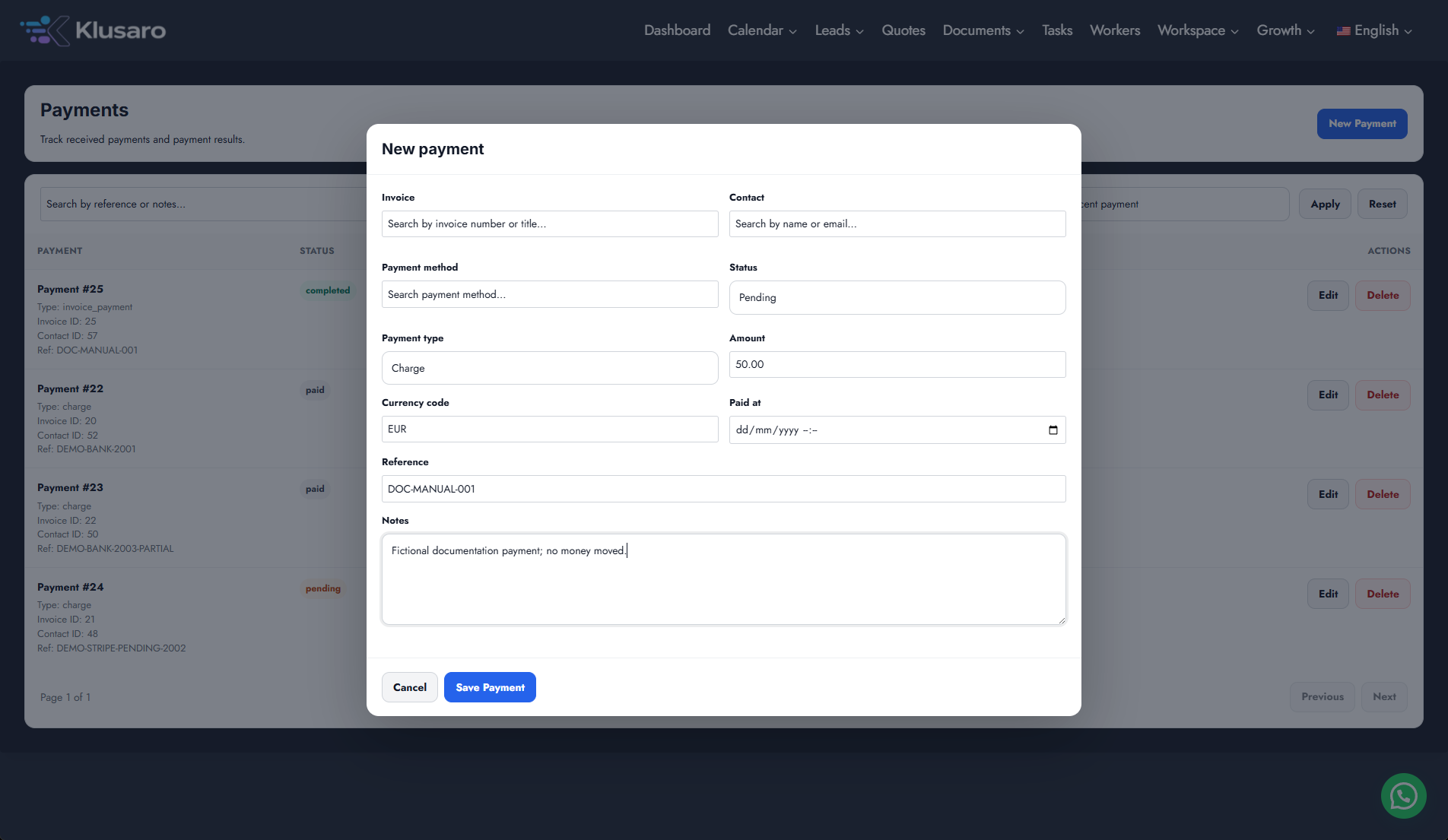
- Atlasīt New Payment.
- Choose the invoice and payment type.
- Enter amount, status, paid date, reference, and notes.
- Atlasīt Save Payment and confirm the linked invoice status.
Screenshots
What happens next
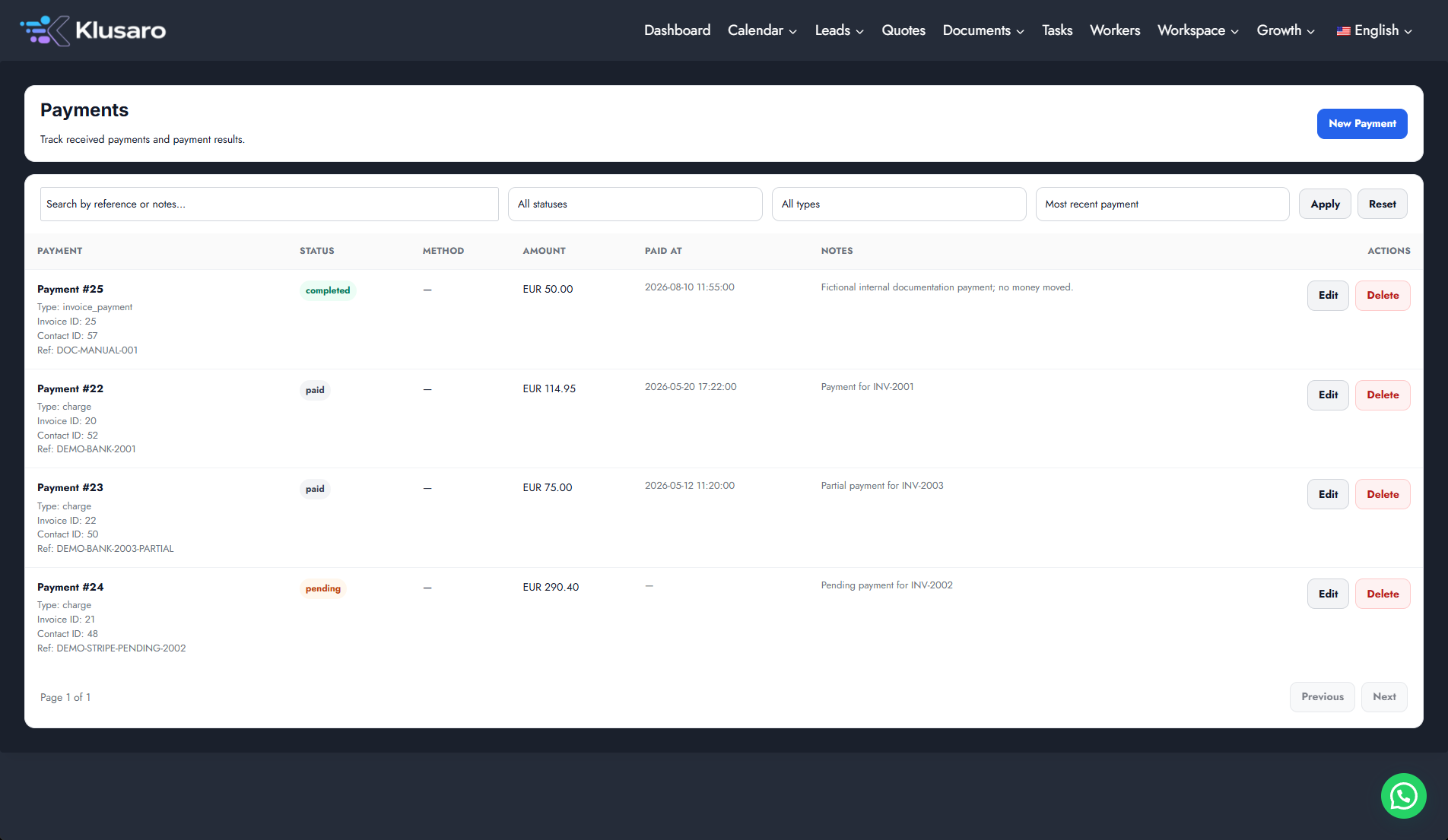
The payment appears in Maksājumi, and the linked invoice reflects its payment state. If you record a partial payment, the invoice shows Partially paid.
Useful notes
Recording a payment updates Klusaro’s records; it does not by itself confirm that money moved through an external payment provider.