
Create an invoice
Video walkthrough: Create an invoice and record a manual payment
Video walkthrough: Complete the customer-to-payment workflow
Use this task to create an invoice in the current Klusaro workspace.
Before you start
Open Klusaro as a user with access to Invoices.
Steps
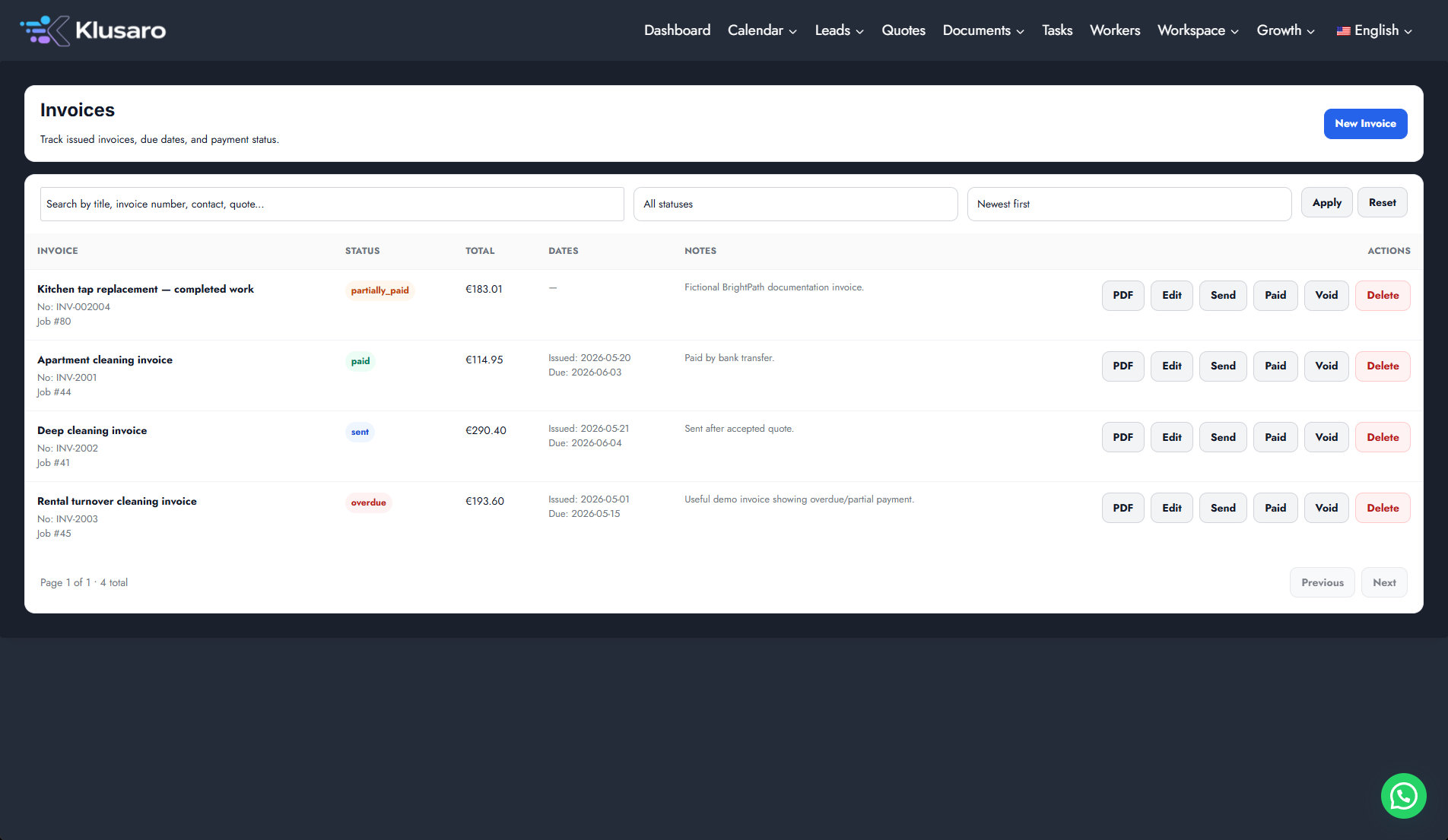
- Open Invoices.
- Select New Invoice.
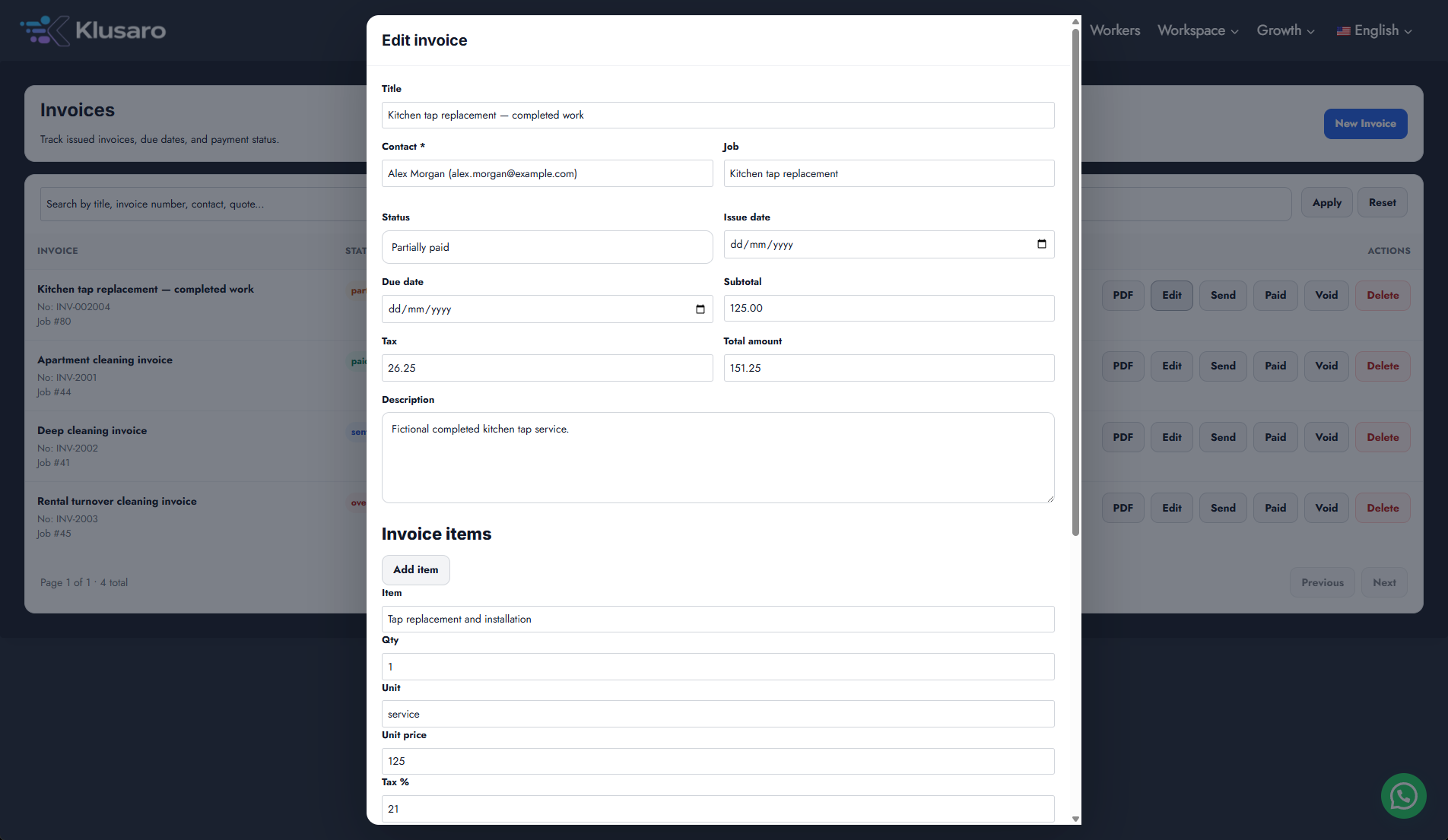
- Enter Title, choose Contact and Job, and set dates.
- Add invoice items and review line amounts.
- Confirm net, VAT/tax, and VAT-inclusive total separately.
- Select Save Invoice and confirm the row.
Screenshots
What happens next
The invoice is saved with a numbered row. For example, net EUR 151.25 plus 21% VAT EUR 31.76 produces a gross total of EUR 183.01.
Useful notes
When practising, use information you are authorised to enter.