
Configure booking services pricing workers and availability
Video walkthrough: Build and test a booking form
Use this task to configure booking services pricing workers and availability in the current Klusaro workspace.
Before you start
Open Klusaro as a user with access to Rezervāciju formas.
Steps
- Atvērts Rezervāciju formas and select Edit.
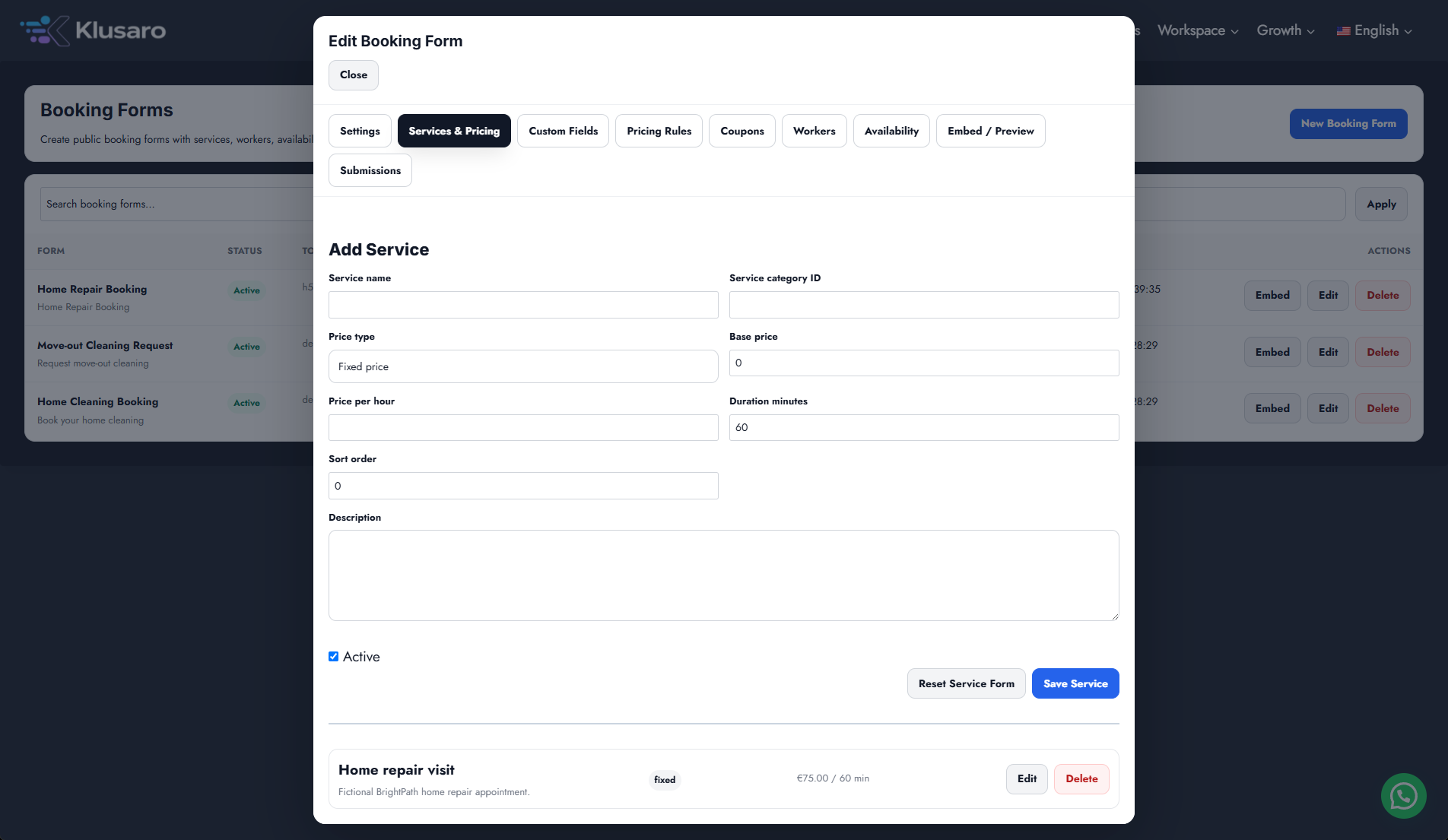
- Zem Services & Pricing, add service, price, duration, description, and Active state.
- Zem Darbinieki, add eligible workers where required.
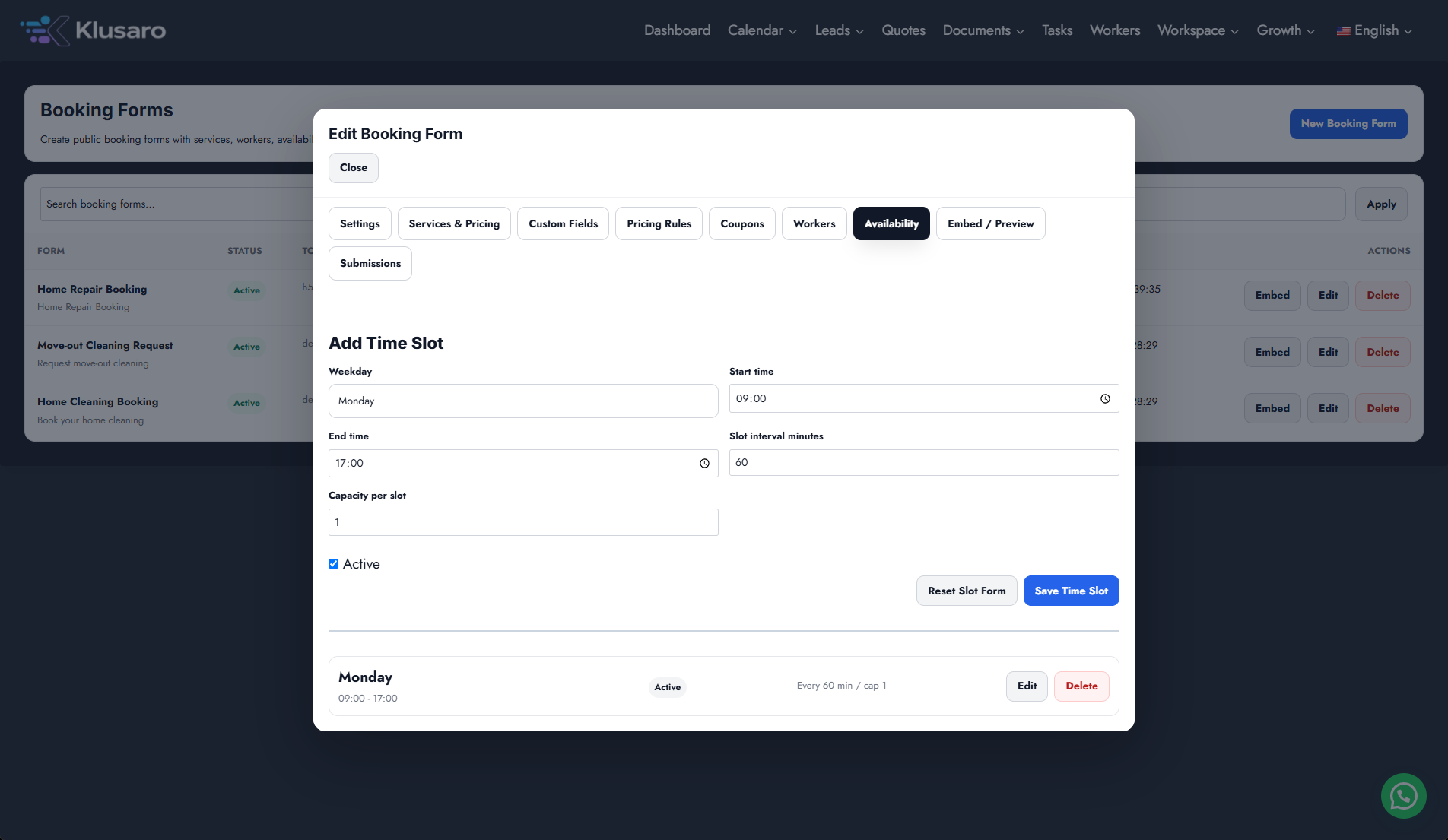
- Zem Availability, add weekday, times, interval, capacity, and Active state.
- Save each item.
Screenshots
What happens next
The updated state appears in Klusaro and can be reopened for confirmation.
Useful notes
When practising, use information you are authorised to enter.